Why I Moved From n8n to Trigger.dev (And Why You Might Too)
• public
A few months ago, n8n was everywhere. Every AI automation YouTube video, every "build this in 10 minutes" tutorial, every indie hacker on Twitter. And honestly, I was all in.
I built dozens of n8n workflows: creative automation pipelines chaining Gemini, fal.ai, and Figma. Competitor ad scrapers pulling from Meta Ad Library via Apify. NPS sentiment analysis. Domain research agents. I even wrote a full guide to self-hosting n8n on Hetzner because cloud n8n kept crashing on large files.
It all worked. But building these workflows manually in the n8n editor took serious time. Dragging nodes, configuring JSON mappings, debugging data transformations one click at a time. For complex pipelines with multiple API integrations, you could easily spend a full day wiring things up.
The Claude Code + n8n MCP Breakthrough
Then everything changed. czlonkowski's n8n-mcp connected Claude Code directly to my n8n instance. Instead of manually building workflows node by node, I could just describe what I wanted in plain English and Claude Code would create, edit, and configure the workflows for me through the MCP server.
This was a massive leap. Workflows that used to take hours could be prompted into existence in minutes. Claude Code understood the n8n node ecosystem, handled the JSON configuration, and could iterate on workflows when something didn't work right.
For a while, this felt like the endgame.
Then I Found Trigger.dev
Nate Herkelman's video introduced me to Trigger.dev, and after trying it, I barely touch n8n anymore. The shift happened faster than I expected.
Trigger.dev takes a fundamentally different approach. Instead of visual workflows with nodes and connections, your automations are TypeScript code. Tasks, subtasks, orchestration, retries: all defined in code, version-controlled, and deployed through a proper CI/CD pipeline.
At first glance, that sounds like a step backwards. Why write code when you can drag and drop? But in practice, it's the opposite.
The Killer Advantage: Auto-Healing Workflows
Here's what made the difference for me: these workflows are basically auto-healing.
When you run a Trigger.dev task and something breaks, Claude Code sees the TypeScript error, understands the codebase, and fixes it directly. No clicking through n8n's execution log trying to figure out which node failed and why. No manually re-configuring JSON mappings. Claude Code reads the error, reads the code, fixes the code. You redeploy. Done.
This changes the entire development loop:
- Build: Describe what you want. Claude Code writes the TypeScript tasks.
- Test: Run the task locally or in staging. If it fails, Claude Code reads the error and fixes the code.
- Iterate: Keep prompting refinements until the workflow does exactly what you need.
- Deploy: Push to master. GitHub Actions deploys automatically to Trigger.dev.
Compare this to n8n where a broken workflow means clicking through the UI, inspecting node outputs, tweaking parameters, running again, and hoping for the best. With Trigger.dev, the debugging loop lives entirely in code, which is exactly where Claude Code is strongest.
What About Webhooks? Enter Hookdeck
One thing Trigger.dev doesn't offer natively is webhook endpoints. If you need external services to trigger your tasks (and you will), you need something in between.
Hookdeck fills that gap. It receives incoming webhooks, handles retries and delivery guarantees, and forwards events to your Trigger.dev tasks. Think of it as a reliable middleware layer between the outside world and your task execution.
In practice, the setup is straightforward: Hookdeck receives the webhook, authenticates it, and triggers the corresponding Trigger.dev task via API. One extra service, but it adds reliability you'd want anyway.
What I Built
Two real workflows that highlight why this approach wins.
Ad Creation Pipeline, Triggered From Notion
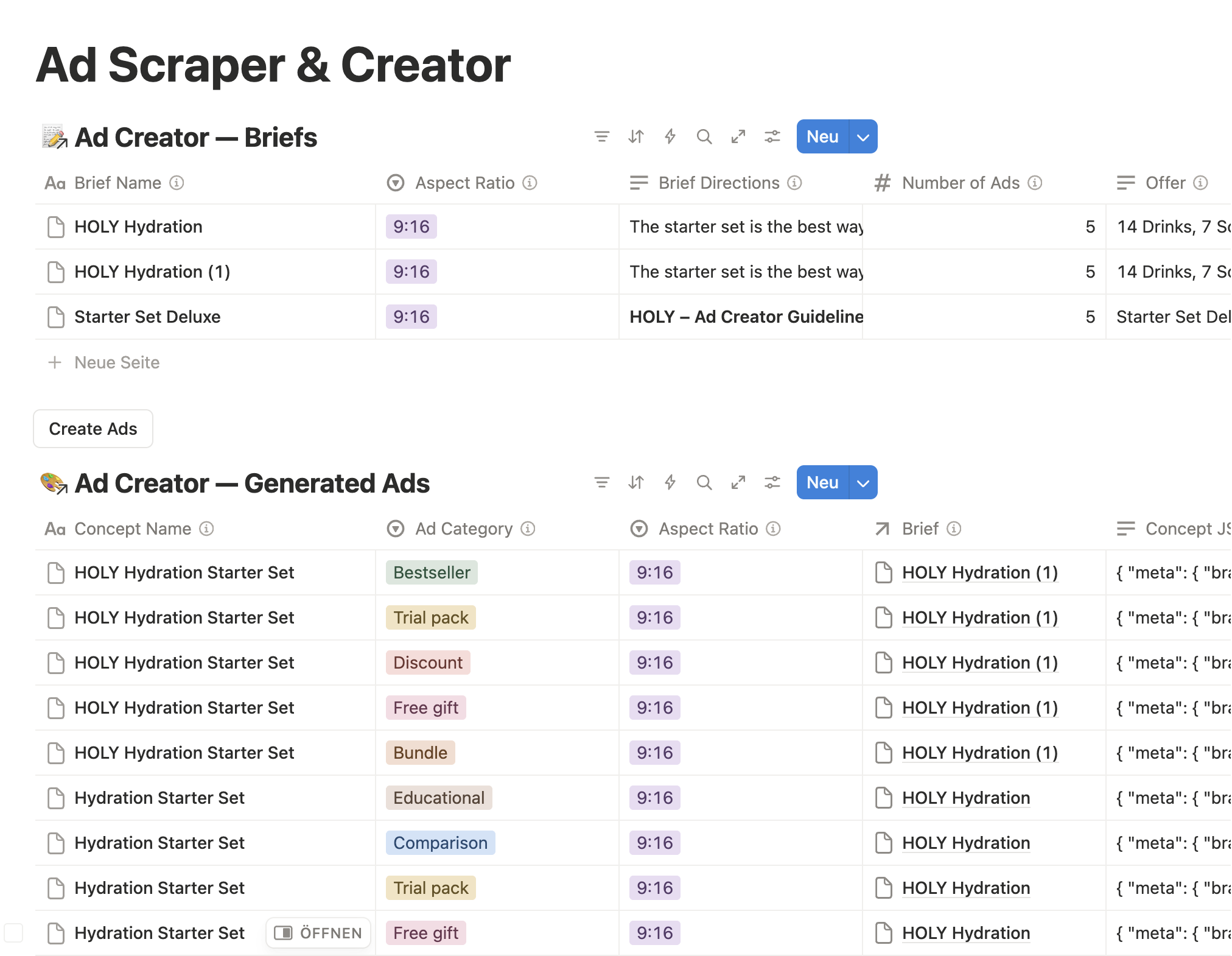
A complete workflow for generating static ad creatives, end to end, without ever leaving Notion.
The flow: a team member fills out a brief in a Notion database (product image, offer details, creative direction), clicks a button, and Notion fires a webhook. From there, Trigger.dev takes over:
- Concept generation via Claude Opus, analyzing 30+ competitor ads by reach to inform creative direction
- Copywriting via Claude Sonnet, following our brand tone and approved claims
- Image generation via Gemini, with a Claude Vision review loop that checks text accuracy, product placement, brand compliance, and auto-regenerates if needed
- Results written back to Notion with the generated image, concept details, and metadata
The entire pipeline runs autonomously. Nobody leaves Notion. The TypeScript codebase is clean, testable, and when Gemini's image output doesn't match expectations, I just refine the prompting logic in code and redeploy.
In n8n, this workflow would have been a sprawling canvas of 30+ nodes with complex data transformations. In Trigger.dev, it's a chain of well-defined tasks that Claude Code can reason about and fix.
Multi-Language Website Grammar Check
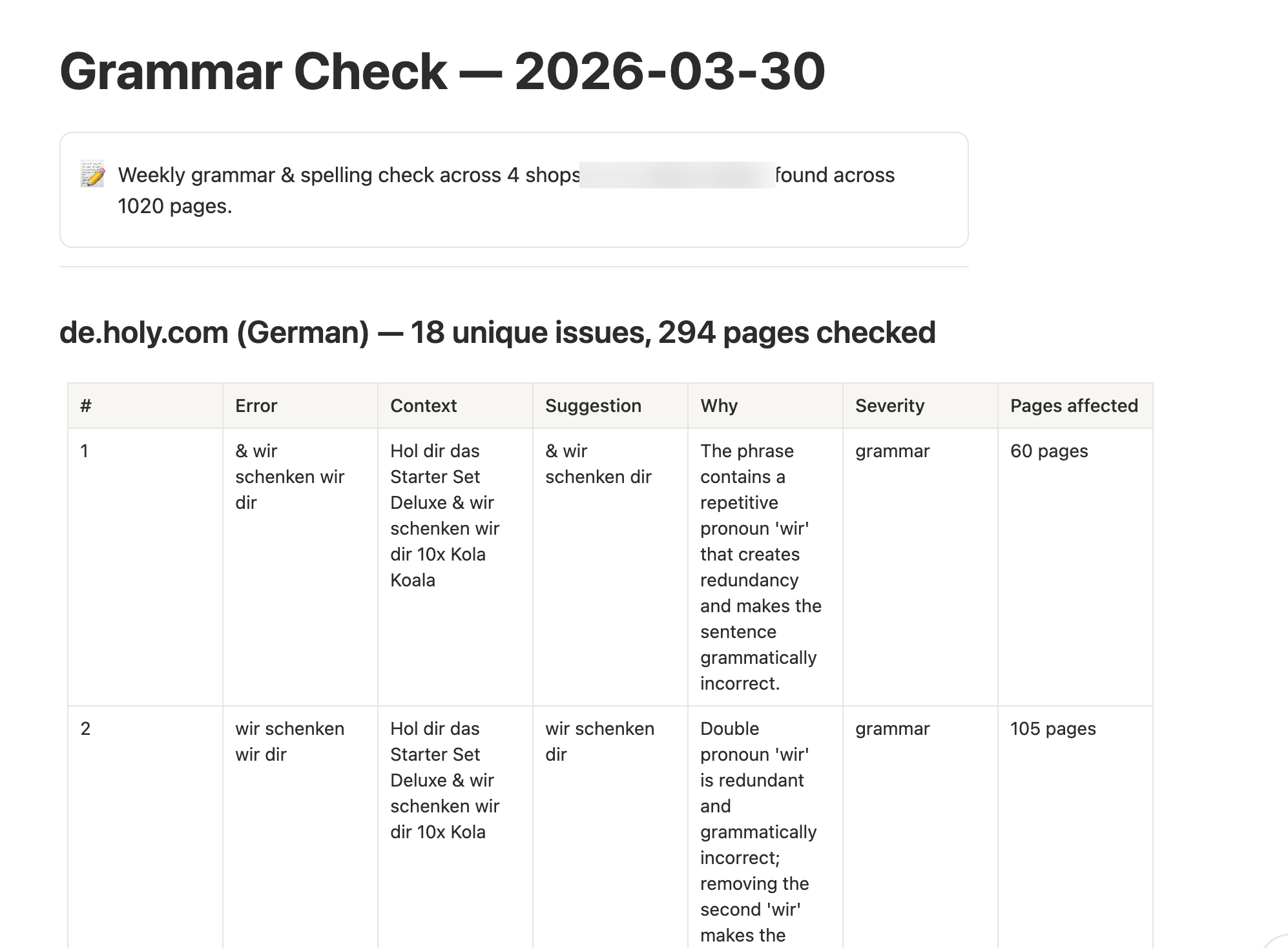
A weekly automated check of all four HOLY webshops (DE, FR, UK, PL) for spelling and grammar issues, with results reported to Notion.
This one uses Cloudflare's newly released Browser Rendering Crawl endpoint to convert every page on our sites to clean markdown. Claude then proofreads each page in its respective language, and a deduplicated report gets created in Notion with per-shop error counts and suggested fixes.
The workflow handles:
- Sitemap parsing across four domains
- Batched page processing (10 pages per batch, parallel execution)
- Cloudflare rate limiting with exponential backoff
- Language-specific grammar rules (German umlauts, French accents, Polish declension)
- Deduplication of recurring errors
In n8n, this would have been enormous. Dozens of nodes for the HTTP requests, looping constructs for batching, code nodes for the markdown cleaning, separate branches per language. Debugging a rate limit issue or a parsing edge case would mean clicking through node after node.
With Trigger.dev, it's TypeScript. The batching logic is a loop. The rate limiting is a function. When Cloudflare changed their response format last month, Claude Code fixed the parsing in 30 seconds.
When n8n Still Makes Sense
I'm not saying n8n is dead. For quick internal automations, connecting SaaS tools with minimal logic, or teams without developers, n8n's visual editor is still great. The node ecosystem is massive, and the learning curve is gentle.
But if you're building complex, multi-step workflows with AI integrations, and especially if you're already using Claude Code, Trigger.dev is a better foundation. Your automations become real software: version-controlled, testable, debuggable, and maintainable by AI in a way that visual workflow builders can't match.
The Bottom Line
The evolution went like this:
- n8n manually - powerful but slow to build
- n8n + Claude Code via MCP - fast to build, but still limited by the visual paradigm when debugging and iterating
- Trigger.dev + Claude Code - fast to build, fast to fix, fast to deploy. Code-native workflows that AI can truly own end to end.
The shift from visual workflows to code-based tasks felt counterintuitive at first. But when your AI assistant can read, write, debug, and deploy your automation code, the visual editor becomes the bottleneck, not the advantage.